
To rank several locations, treat each one as its own local business with its own Google Business Profile, its own page on your website, its own reviews and its own report, all held together by one set of brand rules. When locations share a vague “we serve the whole region” page, they compete with each other and none of them wins the map. When each one is a clearly separate, accurate, well-documented place, each can win the customers closest to it. We built YellowRock Marketing around that idea, and we work in English and Spanish so each branch can be found by both groups of customers in its area.
Key Takeaways
- Every real, customer-facing location gets one Google Business Profile and one dedicated page on your site. No duplicates, no shared pages.
- Google weighs relevance, distance and prominence, so each branch needs its own reviews, content and local signals.
- Keep one source of truth for name, address, phone and hours, and let local managers add only what is truly local.
- Build pages for city and neighborhood terms first. Add service-by-city pages only where you can write something unique.
- Measure every location separately: calls, direction requests, review volume and map visibility, not one blended number.
Table of Contents
- Why each location has to earn its own ranking
- Step 1: Decide which locations qualify for a profile
- Step 2: Set up and standardize every Google Business Profile
- Step 3: Give every location its own page
- Step 4: Organize URLs and avoid page bloat
- Step 5: Choose areas and keywords for each branch
- Step 6: Build reviews, local content and links per branch
- Step 7: Split the work between headquarters and branches
- Step 8: Measure each location separately
- Where we fit in
- Our view on multi-location SEO
- Frequently asked questions
- Sources
Why each location has to earn its own ranking
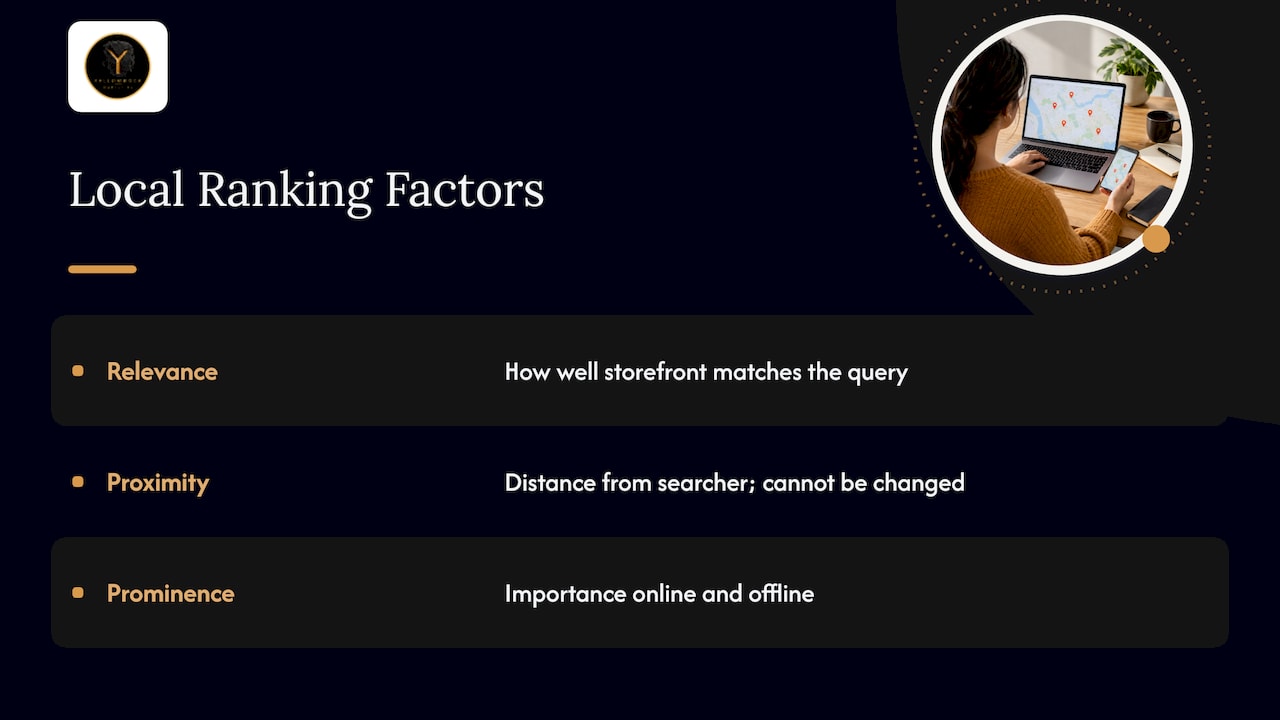
Google does not rank a brand in local results. It ranks places. According to Search Engine Journal’s guide to local SEO for multiple locations, Google’s local algorithms assess relevance (how well a storefront matches the query), proximity (how close it is to the searcher) and prominence (how important it appears online and offline). Distance is the factor you cannot change, which is why a downtown branch and a suburban branch of the same company are really competing in different races.
That has a practical consequence. A dentist with three offices is not trying to rank “one dentist” three times. Each office is trying to appear when someone within a few miles searches for an emergency dentist, and each has different neighbors, different competitors and a different review history. The work is therefore done location by location, with the brand providing consistency.
If your business serves a mixed audience, there is a second layer. In Miami, Orlando or Atlanta, a branch may be searched in English by one customer and in Spanish by the next. Those are different queries with different wording, so the page and the profile content need to reflect both. Our local business SEO overview covers the basics of how that works for a single site.
Step 1: Decide which locations qualify for a profile
Before building anything, check which of your sites Google will accept. Google’s eligibility and ownership guidelines require a business to make in-person contact with customers during its stated hours. They also list businesses that do not qualify, including rental or for-sale properties such as vacation homes, model homes and vacant apartments (a sales or leasing office is eligible), lead generation companies, and addresses that are P.O. boxes or mailboxes in a remote location.
This matters in some industries more than others:
- Restaurants, clinics, gyms, salons, vets and shops: each storefront with staffed hours qualifies.
- Hotels and vacation rental managers: the front desk or the leasing office can be listed. The individual rental homes cannot.
- Home services and professional firms: a real office with customers visiting during stated hours qualifies. A rented mailbox in a city where you have no staff does not.
- Co-working offices: according to Semrush’s multi-location guide, these can qualify when there is clear signage, customers are received during business hours and your own team staffs the space. Confirm against Google’s current rules before you register one.
One point to settle early: one profile per location, never several profiles for the same place to “get more visibility”. Google’s Business Profile policies say that content must accurately represent the location and that violations can lead to restricted content or restricted access to the profile. For a multi-location owner, a suspended profile on your busiest branch costs more than any shortcut could earn.
Step 2: Set up and standardize every Google Business Profile
The profile is what shows in the map pack, so it comes before the website. Treat it as a form with fixed fields and a few flexible ones.
Fixed across all locations (set by headquarters):
- Business name, written exactly as it appears on your signage
- Primary category, chosen deliberately and applied consistently across comparable branches
- Brand description, logo and core messaging
- Naming rules for photos, posts and attributes
Local to each branch (provided by the location manager):
- Address, local phone number and accurate hours, including holidays
- Services, menu items or treatments offered at that specific site
- Photos of the real storefront, interior and team
- Local posts, offers and events
- Replies to reviews from that branch’s customers
Search Engine Journal notes that a complete profile now works as an anchor that helps Google and AI systems understand and verify what each storefront offers. Our 12-point Google Business Profile audit is a good way to see what a complete profile should contain.
Bulk management at 10 or more locations
Once you have many branches, verifying and editing each one by hand becomes a time sink. Google offers bulk verification for businesses with ten or more brick-and-mortar locations verified on Google, which allows bulk edits and adding new locations without verifying each one separately. Service area businesses do not qualify, and neither do listings that are suspended or in re-verification. If you run fewer than ten locations, the dashboard for managing multiple profiles is the practical route, and Search Engine Journal’s guide to Google Business Profile recommends rechecking Google’s guidelines every three to four months, since the rules change.
Step 3: Give every location its own page
The website is where Google confirms what the profile says. Each real location needs one dedicated page, and the profile should link to that page, not to the home page. That single habit solves most of the confusion that sends multi-location sites off course.
A useful location page contains what a customer needs before choosing that branch. Semrush’s list is a good one: address and phone number, hours, services, staff, directions, photos, reviews and a clear way to call or book. Search Engine Journal adds locally specific services, real photos of the actual storefront, interior and local team, embedded reviews from customers who visited that branch, and area-specific FAQs.
The test for each page is simple: could you swap the city name on another branch’s page and have it still read as true? If so, the page is a template, not a location page. Here is what makes the same page different in practice:
| Weak location page | Strong location page |
|---|---|
| Same paragraph repeated with a new city name | Opens with what is specific to that branch: the neighborhood, parking, nearby landmarks |
| Stock photos | Photos of the actual building, team and work |
| One generic phone number | The branch’s own local number and hours |
| No reviews | Reviews from that branch’s customers |
| Same FAQ everywhere | Questions that people in that area really ask |
| Services listed in a block | Services that branch actually provides |
For bilingual markets, write the Spanish version as its own page with its own keywords, not a translation pasted over the English one. People search in Spanish with different words, and the page should reflect that.
Step 4: Organize URLs and avoid page bloat
For most businesses with a handful to a few dozen locations, one domain with a folder for locations is the simplest structure. One industry guide from a website-management company recommends a hierarchy like this: home page, a locations hub, one city page per location, and, where justified, service pages under each city. Keeping everything on one domain concentrates your authority in one place and keeps maintenance manageable. Separate domains per branch tend to divide that authority and multiply upkeep.
A clean structure looks like this:
- Home page: the brand
- Locations hub: a page listing every branch with links to each
- Location page: one per branch, such as
/locations/tampa/ - Service-by-location page: only when a service is in real demand in that city and you can write something unique
The fourth level is where multi-location sites go wrong. Ten services across twenty cities would produce two hundred pages, and most of them would say the same thing with a different place name. A better rule: city-level searches go to the location page, general service searches go to the main service page, and a service-plus-city page exists only when you have unique content, such as a local case, a local team member, or a local offer. Fewer, stronger pages usually outperform a mass of thin ones.
If you have a hub page, link to it from the main navigation and make sure every location page is reachable from it in one click. Add structured data for each location with the same name, address and phone number that appear on its profile.
Step 5: Choose areas and keywords for each branch
Start from the customer’s map, not yours. A branch in Fort Lauderdale does not need to rank in all of Broward County. It needs to rank where its customers actually live, work and drive. Pick the cities and neighborhoods within a realistic radius, then check how people search for your service there.
For each location, build a short keyword set:
- The service plus the city or neighborhood
- “Near me” style phrases, which are handled mostly through the profile and proximity
- The same terms in Spanish where your market includes Spanish speakers
- Specific services with real demand at that branch, such as emergency or same-day versions
Our guides on choosing local keywords and finding real keyword opportunities walk through the research. The principle for multiple locations is to give each branch a distinct primary focus so your own pages do not compete with each other for the same phrase.
Step 6: Build reviews, local content and links per branch
Rankings come from relevance, distance and prominence, and prominence is the part you can build. Search Engine Journal reports that Google’s local algorithms track four review signals: volume, velocity, average rating and how often the owner responds. For multiple locations, the lesson is that reviews have to be collected branch by branch. A strong rating at one location does nothing for another one across town.
Practical routine for every location:
- Ask every customer, at the moment of service, with a direct review link for that branch
- Reply to every review, positive or negative, within a few days
- Never ask only happy customers, and never discourage negative reviews. Semrush notes Google’s rating manipulation policy prohibits both
- Track each branch’s rating, volume, recency and recurring themes monthly
On paying for reviews, see our piece on Google reviews and the truth about paying for opinions.
Beyond reviews, give each location content and links that belong to it: a post about a local event, a sponsorship of a neighborhood team, a feature in a city publication, a staff profile. These local signals are what separate branch pages from copies of each other, and they feed the prominence Google looks for.
Step 7: Split the work between headquarters and branches
Multi-location SEO usually fails at coordination, not at tactics. A workable division:
| Headquarters owns | Branch managers own |
|---|---|
| Naming, categories and brand rules | Accurate hours and holiday changes |
| Location page template and hub | Local photos and team details |
| Listing consistency across directories | Responding to reviews quickly |
| Reporting and benchmarks | Local events and offers to feed content |
| Policy checks on Google changes | Flagging closures, moves or new services |
Keep one master spreadsheet of location data, with one row per branch and one owner per row. Every profile, page and directory listing is updated from it. When a branch changes hours or moves, the change goes through that sheet first, so your site, profile and listings never disagree.
Step 8: Measure each location separately
A blended average hides the branches that need help. For every location, review monthly:
- Map visibility for its main terms around that branch
- Calls, direction requests and website clicks from its profile
- Review count, average rating and response rate
- Traffic to its location page and the actions taken there
- Visibility in AI answers for its core services and city
The last item is increasingly part of the job, as customers ask ChatGPT, Gemini, Perplexity and Google AI Mode for places near them. A complete profile, a clear location page and consistent information across the web are what give those systems something reliable to cite.
Compare branches against their own history and against similar locations, not against the company’s best performer. A new suburban office will not match a ten-year downtown flagship, and the report should show whether it is moving in the right direction.
Where we fit in
Running this across five, ten or thirty locations is a monthly operating job: profiles, pages, reviews, content and reports for each branch, in two languages where your customers use both. That is the work our team does for independent businesses with physical locations. Our plans cover Google Business Profile optimization, Google Maps rankings, website SEO, weekly content with backlinks, review systems and AI search visibility, and every engagement starts with a free SEO audit. We keep our client list deliberately limited so each business gets real attention, and we do not promise ranking positions. Reporting is transparent and the work is verifiable each month.
To see which plan fits your number of locations, start with our Growth plan for bilingual local SEO or our Starter plan. If your location pages need rebuilding first, our web design service is available on its own or alongside a plan.

Our view on multi-location SEO
Most multi-location businesses do not have an SEO problem so much as a consistency problem. One branch has a polished profile, another has the wrong hours, a third has no page at all, and nobody owns the difference.
We approach it as a monthly system. Google Business Profile, Maps, website pages, reviews and AI search visibility are worked together, because a customer’s decision passes through all of them. A great page cannot compensate for an unanswered review, and a strong profile cannot compensate for a page that says nothing about the branch.
Language is the other half. In many of our markets, the English-speaking and the Spanish-speaking customer search with different words. We work English and Spanish keywords, pages and content separately, so each branch can be found by both.
We would rather build fewer, better location pages than hundreds of thin ones, and we would rather show you a clear monthly report than promise you a position.
YellowRock
Frequently asked questions
How do I do SEO for multiple locations?
Give each real location its own Google Business Profile and its own page on your website, then build reviews, local content and links for each one. Keep business details identical everywhere, and report on each branch separately. Headquarters sets the rules and the branches supply local facts.
Should each location have its own website?
For most businesses, no. A single site with one page per location keeps your authority in one place and is easier to maintain. Separate sites only make sense in unusual cases, such as independently operated franchises or expansion into other countries with different languages.
Can a service area business get a profile for each city it serves?
Only where it has a real, staffed location in that city. Google’s eligibility rules exclude addresses that are mailboxes in remote locations, and creating profiles for places where you have no presence risks suspension. Instead, build a strong page for each area you serve from your real office.
Do I need Spanish pages for each location?
If Spanish speakers are part of the customer base around a branch, yes. Spanish searches use different wording, so a separate Spanish page with its own keywords reaches customers an English page will not. Cities such as Miami, Orlando and Tampa are common examples.
Sources
- Business eligibility and ownership guidelines, Google
- Overview of Google Business Profile policies, Google
- Google Business Profile bulk verification, Google Business Profile Community
- The Complete Guide To Local SEO For Multiple Locations, Search Engine Journal
- Google Business Profile: A Complete Guide for Local SEO, Search Engine Journal
- Multi-location SEO: How to build a scalable strategy, Semrush