
The fastest way to get more Google reviews is to ask every customer, at the moment they can judge the experience, with a direct review link or QR code from your Business Profile. Then do it every week, reply to what comes in, and never offer anything in return. Google’s own guidance asks businesses to remind customers to leave reviews through a link or QR code, and it requires that reviews reflect a genuine experience.
This guide walks through the whole system: the link, the timing, the scripts, the replies, the rules, the rating math and how to plan for a big number like 1,000.
Key Takeaways
- Create your review link and QR code from your Business Profile, test it on a phone, and put it where customers already finish their visit: receipts, emails, the counter, the job site.
- Ask while the experience is fresh, and ask consistently every week. A steady routine beats a one-time push.
- Never offer discounts, gifts or payment for reviews. Google prohibits it, and the FTC bans buying reviews.
- Rating math rewards volume over time. Plan around your real customer count, not a one-month spike.
- Reply to reviews in a short, specific, non-promotional way. It shows customers and Google that the profile is active.
Table of Contents
- Why reviews matter for local visibility
- Step 1: Create your Google review link and QR code
- Step 2: Ask at the right moment
- Step 3: Use a short script your team will actually say
- Step 4: Make asking part of your system
- Step 5: Reply to every review
- What you must not do: incentives, fake reviews and threats
- How many reviews does it take to move your rating?
- Is 1,000 reviews a realistic goal?
- Free ways to increase reviews without software
- Review management and monitoring services: what to check
- Our point of view
- Let us build the review system with you
- FAQ
- Sources
Why reviews matter for local visibility
Reviews do two jobs at once. They persuade the person comparing three nearby options, and they feed the signals that help a profile appear in Google Maps and local results. A profile with a recent, steady stream of detailed reviews looks alive. A profile with 11 reviews from two years ago looks abandoned, even if the business is excellent.
The content of reviews matters too. When customers mention the service they received and the neighborhood, they use the same words other customers search for. We explain that effect in our piece on why keyword-rich reviews help you rank higher. You cannot script those words, and you should not try, but you can ask open questions that invite specifics.
Reviews are one part of a profile. If your categories, hours, photos and services are incomplete, new reviews will do less for you. Our 12-point Google Business Profile audit is a good way to check the basics before you start a review push.
Step 1: Create your Google review link and QR code
Customers should never have to search for your business and hunt for the review button. Every extra tap loses people.
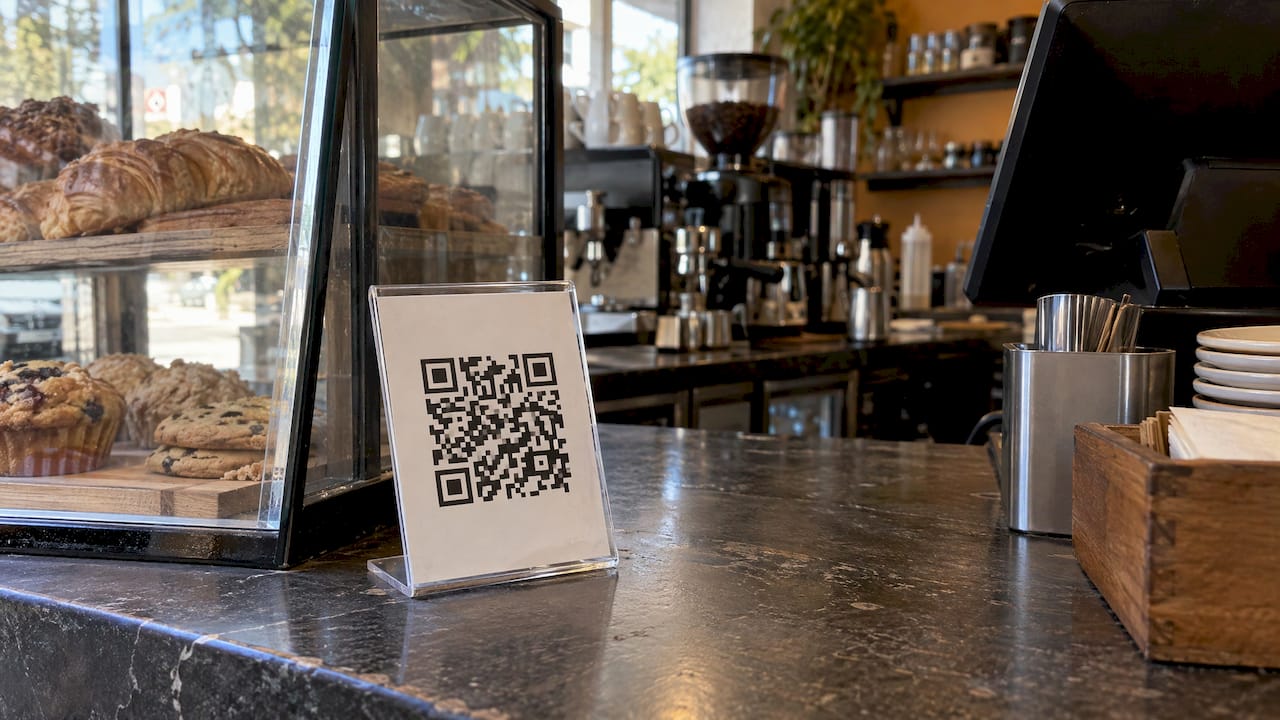
Google says you can generate a link or QR code from your Business Profile by choosing Read Reviews, then Get more reviews. You can copy the link or download the QR code, and QR codes can only be generated in a desktop browser. Google suggests sharing them on receipts, thank-you emails, at the end of chat interactions and in your store.
Two practical points:
- Test it on a phone. Open the link on your own phone, signed out if you can, and confirm it lands on your business’s review form and not on a generic search page. Constant Contact’s guide recommends exactly this check.
- Remember the Google account requirement. Customers must be signed into a Google Account to post, and they can set one up with a non-Gmail email address. If a customer says they have no account, tell them it takes a minute and uses any email.
If you have several locations, make one link per location. A review that lands on the wrong branch helps no one.
Step 2: Ask at the right moment
The best time to ask is right after the customer can judge the result. That moment looks different in each industry.
| Business type | Best moment to ask | Best channel |
|---|---|---|
| Restaurant or café | At payment, or in the receipt follow-up the same evening | Table tent or receipt QR code, thank-you text |
| Dental or medical practice | At checkout, or in the visit summary message | Front desk QR code, follow-up email |
| Home services | When the technician walks the customer through the finished work | In-person ask, then a text with the link |
| Salon, med spa, gym | After the appointment or class, while the result is visible | Mirror or reception QR code, text |
| Hotel or rental | After checkout, once the stay is complete | Post-stay email with the link |
| Retail | At the register, or after delivery | Bag insert, receipt, delivery confirmation |
For booked visits, Constant Contact suggests asking within about 24 hours, and about a week after a product is delivered. It also notes that a steady weekly routine works better than one-time spikes.
For in-person trades, a home service owner on the Jobber podcast argued that the best moment is when the technician shows the customer the finished work, and that a personal ask from the technician beats an automated text because the customer has a relationship with that person. That is one owner’s view, but it matches what most local operators see: a human ask, followed by an easy link, gets the best response.
Step 3: Use a short script your team will actually say
A review request fails when it is long, awkward or optional. Give your staff one sentence they can say without thinking:
- “If you were happy with today, would you mind leaving us a quick Google review? I can text you the link right now.”
- “It helps other people in the neighborhood find us. The QR code is right here.”
A few rules keep the script honest:
- Ask everyone, not only the customers who seem happy. Selecting who gets asked is what Google calls review gating, and it is on the list of things to avoid.
- Do not ask for a particular rating. Ask for an honest review.
- Do not pressure. One clear ask and one polite reminder is enough.
- Do not ask employees, family or friends to post. Those are not genuine customer experiences.
If a customer tells you they were unhappy, route them to a manager to fix the problem. Do not steer them away from the review form. Fixing the issue may earn a better review on its own, and you have not manipulated anything.
Step 4: Make asking part of your system
One-off pushes give you a spike and then silence. A repeatable workflow is what builds a profile over months.
A simple weekly routine:
- Pick the moment in each customer journey when you ask.
- Place your official link or QR code at that moment.
- Give staff the short script.
- Send one follow-up to customers who did not respond.
- Send any complaints to a person who can resolve them.
- Reply to new reviews every week.
This mirrors the workflow TrueFuture Media describes for policy-safe review collection, which also lists incentives, gating and rating coaching as no-go behaviors.
Assign an owner. If “everyone” is responsible for asking, nobody is. In a small restaurant that might be the closing manager. In a clinic, the front desk lead. In a home services company, the dispatcher who sends the follow-up text after each job.
Step 5: Reply to every review
Replies are part of getting more reviews, because they show future reviewers that someone reads what they write. Google’s advice is to be professional and polite, keep replies short and simple, make them count rather than sending a generic thank-you, and stay conversational instead of promotional. Do not use a reply to offer deals.
A good positive reply names something specific: “Glad the Saturday brunch worked for your group. We’ll tell the kitchen about the pancakes.” A good reply to a critical review acknowledges the issue, avoids arguing, and invites the person to contact you directly.
Google also says to value all reviews, since a mix of positive and negative feedback can feel more trustworthy. A 4.7 with a few honest criticisms often reads as more believable than a flawless 5.0.
What you must not do: incentives, fake reviews and threats
This is the part where a shortcut can cost you the whole profile.
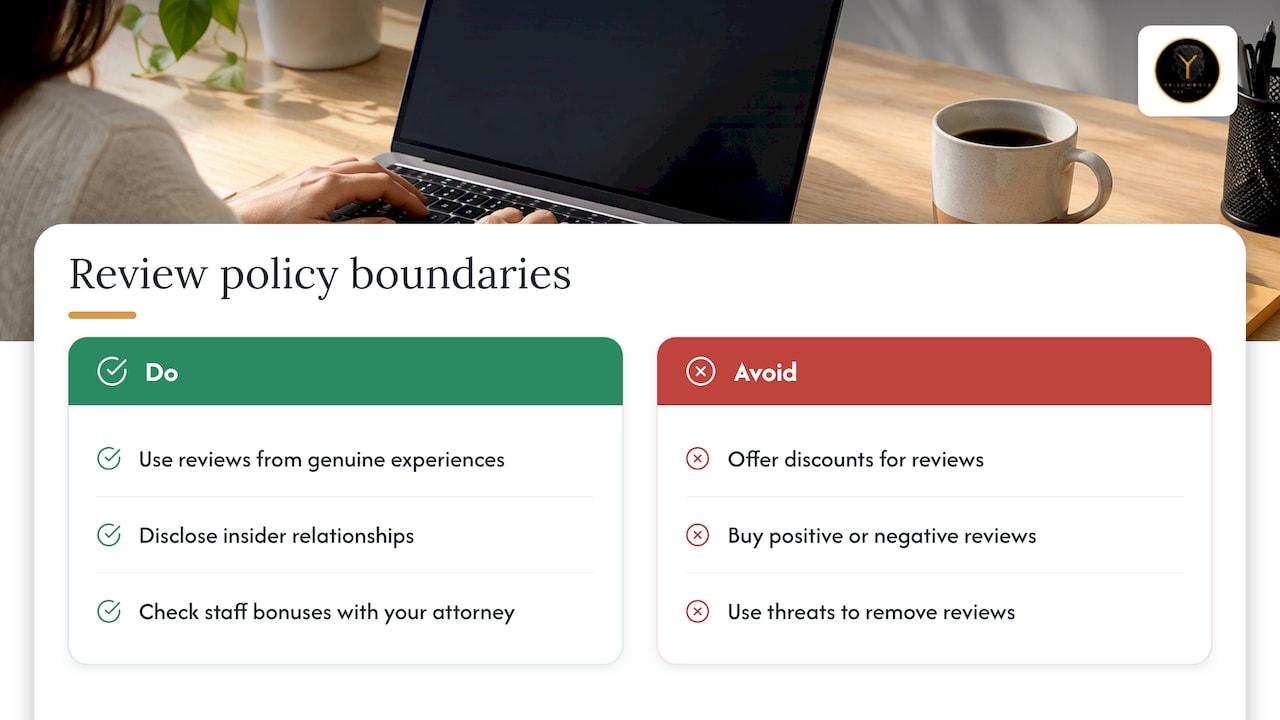
Google’s policy. Reviews must reflect a genuine experience. Offering free or discounted goods or services in exchange for reviews, including posting, changing or removing negative reviews, is treated as fake engagement and is strictly prohibited. That includes the “leave a review and get 10% off” sign at the register.
The FTC rule. For U.S. businesses, there is also federal law. The FTC’s final rule, effective October 21, 2024, prohibits creating or selling fake consumer reviews, buying positive or negative reviews, and publishing insider reviews without disclosing the relationship. It also bars using unfounded legal threats, intimidation or false accusations to stop a review from being written or to get one removed.
So, is it legal to buy Google reviews? No. It violates Google’s rules and the FTC rule above. If someone sells you a package of “guaranteed 5-star reviews,” walk away.
We go deeper on this in the truth about paying for opinions.
A note on one popular story: some case studies describe businesses that grew fast by paying staff per review. Whatever a company does internally, the line to avoid is rewarding customers, and you should check any staff bonus structure against Google’s rules and talk to your attorney before copying it.
How many reviews does it take to move your rating?
Google’s score is the average of all ratings published on Google for that business, on a 1 to 5 scale, and it can take up to two weeks to update after a new review. So if your rating has not moved the day after a great week, that is timing, not failure.
Because it is an average, you can estimate what it takes. The formula: new 5-star reviews needed = current reviews × (target − current rating) ÷ (5 − target), rounded up.
| Current rating | Reviews | Target | 5-star reviews needed |
|---|---|---|---|
| 4.2 | 80 | 4.5 | 48 |
| 4.0 | 50 | 4.5 | 50 |
| 4.3 | 41 | 4.5 | 41 |
| 4.5 | 100 | 4.7 | 67 |
Two lessons come out of the math. First, the more reviews you already have, the more it takes to move the average, which is good news when a single unfair 1-star arrives. Second, a business with a low rating gains fastest by improving the experience and then inviting more satisfied customers, rather than chasing a total.
For context, a recent analysis of about 1.5 million Google Business Profiles found a median rating of 4.6, with the middle half of businesses between 4.2 and 4.9. Perfection is rare, and customers do not expect it. Aim for a strong, believable rating with fresh reviews.
Is 1,000 reviews a realistic goal?
For many businesses it is, but over years, not weeks. The honest way to plan is from your real customer volume. If about 10% to 25% of customers who are asked actually post, 1,000 reviews needs somewhere between 4,000 and 10,000 completed customer interactions. A business serving 300 customers a month is looking at a very different timeline than one serving 3,000.
So set targets that fit you:
- Monthly goal: the number of new reviews you can reasonably expect from your volume and ask rate.
- Ask rate: the share of customers who receive your link or see your QR code.
- Response rate: the share of reviews you reply to, ideally all.
- Freshness: sort your profile by newest and see how often competitors get new reviews. Match that rhythm first, then beat it.
Most businesses in a neighborhood are not doing this systematically. A steady five or ten new reviews a month can be enough to stand out in a market like Orlando, Boston or Atlanta, where plenty of competitors have large but stale totals.
Free ways to increase reviews without software
You do not need a platform to start. Free options that work:
- Put the QR code on receipts, table tents, counter signs, invoices and job-site leave-behinds.
- Add the review link to your email signature and your order confirmation message.
- Text the link after the visit with a one-line thank-you.
- Add a “Leave us a review” button to your website’s contact or thank-you page.
- Ask in person. Nothing outperforms a friendly, specific request from the person who served the customer.
- Reply to old reviews you missed. It shows activity right away.
Software helps when you have volume, several locations or a team that forgets. That brings us to services.
Review management and monitoring services: what to check
Review-management tools and services generally do three things: generate requests, monitor new reviews across sites, and help you respond. As one industry guide defines them, review generation means systematically asking every customer after a service interaction, and monitoring means continuously tracking new reviews wherever you appear. Monitoring matters because without it a negative review can sit unanswered for weeks.
Before you sign anything, check:
- Which sites are covered, and whether replies to Google can be posted from the tool.
- How requests are triggered, manual or automatic, and whether the process asks every customer rather than filtering by sentiment.
- Who replies, you or the provider, and who approves the tone.
- Total cost in writing, plus contract length and whether you can export your data if you leave.
- Multi-location permissions, if you have more than one site.
The FTC also warns that SEO and reputation companies may write fake positive reviews for you or fake negative ones about competitors, and you can be held responsible for what they do on your behalf. Ask any provider to describe exactly how reviews are obtained, and expect a clear answer: real customers, a direct link, no incentives.
Our point of view
We see the same pattern across restaurants, clinics, dental practices, home services and hotels: businesses do not lack happy customers, they lack a system for inviting them to speak.
That is why we treat reviews as one part of local visibility, worked together every month with your Google Business Profile, your website and your Maps presence. A review request process, a weekly reply routine and a profile that is complete and current reinforce each other.
We also work in English and Spanish. In many U.S. markets, Miami, Orlando, New York and Atlanta among them, customers search and write reviews in both languages. A business that only prepares for one is missing part of its neighborhood. We keep keywords and content separate per language, and we encourage requests that let customers review in the language they are comfortable with.
Our approach is built on verifiable monthly work and transparent reporting, and we make no promises of ranking positions. Reviews that are real, recent and answered are the foundation we build on.
YellowRock
Let us build the review system with you
If you would rather have a team set up the link, the QR code, the request routine and the reply workflow, and connect it to your Maps rankings and website, that is what our monthly plans do. Start with the Starter plan for local SEO, or choose Growth if you want English and Spanish worked separately. Every engagement begins with a free SEO audit of your Google presence.
If your profile also needs a faster website to convert the visitors your reviews bring, we offer web design as well.
FAQ
How do I get customers to leave Google reviews?
Give them a direct link or QR code from your Business Profile and ask in person or by text right after the visit. Make the ask short and the path one tap. Keep asking every week, because consistency matters more than any single campaign.
Can I offer a discount for a Google review?
No. Google treats incentives such as free or discounted goods or services in exchange for reviews as fake engagement and prohibits them. Thank customers sincerely instead, and reply to each review.
How long does a new review take to show in my rating?
Google says it can take up to two weeks for your score to update after a new review. The score is the average of all ratings on Google, so a business with many reviews moves more slowly than a small one.
Do Google reviews affect local SEO?
Reviews are part of the picture customers and Google see when comparing local businesses, along with your profile completeness, website and relevance. Volume, freshness and the words customers use all matter, which is why a steady request routine pays off over time.
What should I look for in a review management service?
Check which sites it covers, how requests are triggered, who writes replies, the total cost in writing and how you can leave and export your data. Confirm that reviews come only from real customers with no incentives.
Sources
- Tips to get more reviews, Google Business Profile Help
- Create a Google link or QR code to request reviews, Google Business Profile Help
- Understand review scores for local places and businesses, Google Business Profile Help
- How to Get Google Reviews for Your Business, Constant Contact
- From 36 to 1,000+ Reviews in 12 Months, Jobber podcast
- How to Get More Google Reviews (Without Breaking Policy), TrueFuture Media
- FTC publishes final rule banning fake consumer reviews and testimonials
- Soliciting and Paying for Online Reviews: A Guide for Businesses, FTC
- Google Rating Benchmarks 2026, ReviewTactic
- Online Review Management Services: What They Do, Nextvure